
Group sessionOne date, many guests
A single date and time with a seat limit. Share the link and guests book until the seats are gone.
Workshops, webinars, info sessions
Group booking software
Let many people book the same session from one link. Set a seat limit, show seats left in real time, and run one-off workshops or recurring classes without a spreadsheet of sign-ups.
 14-day free trial
Seat limits per session
Google, Microsoft & Zoho sync
 freeslot.me/clayhouse/workshop
Group session · 12 seats
11 of 12 seats booked 1 left





Latest bookings
Dana R.
Booked seat 10 of 12
Confirmed
Sam K.
Booked seat 11 of 12
Just now
Closes to new bookings automatically when full
How it works
Set the seats once. Freeslot counts every booking and closes the session when it's full.
Pick a one-time group session or a recurring group series, and set how many seats each session has.
Send it, post it, or embed it on your website. Every guest books from the same page.
Guests see seats left and book their own spot. Full sessions stop taking bookings on their own.
Page types
Two ways to take group bookings, both with seat limits and an attendee list for every session.
A single date and time with a seat limit. Share the link and guests book until the seats are gone.
Workshops, webinars, info sessions
Weekly days and times across a date range. Every session has its own seat limit, and guests book the dates they want.
Classes, cohorts, office hours, training
Private appointments from your availability. See online appointment booking or route them across your team with team scheduling.
Consultations, coaching, demos
Group sessions
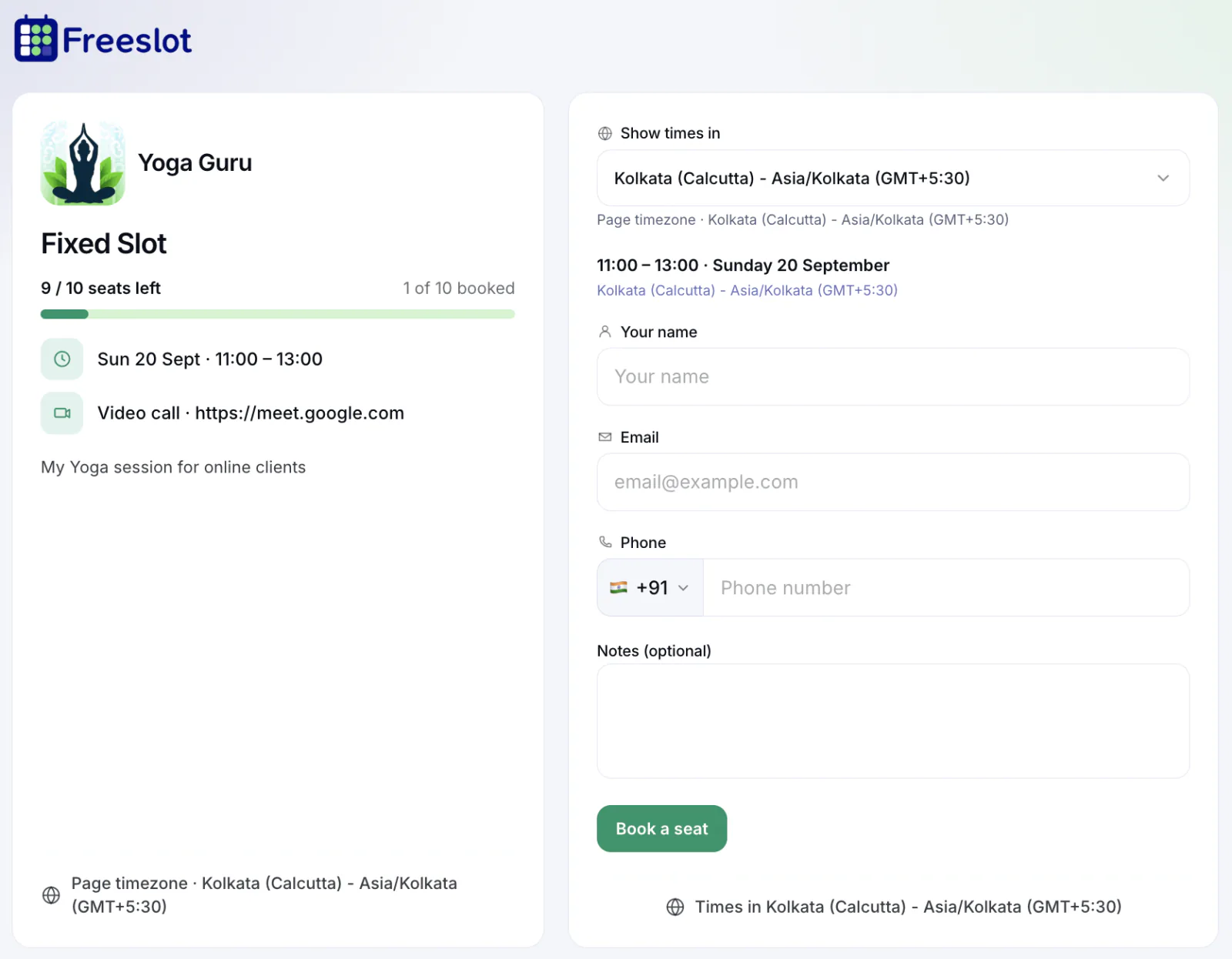
Guests see exactly how many seats are left and book their own spot. You never oversell a room or a call.
 One date and time, with the seat limit you choose
Professional
Live "seats left" count on the booking page
Full sessions stop taking bookings automatically
One seat per email, so nobody takes two spots by mistake
When a guest cancels, their seat opens up for someone else
Recurring group series
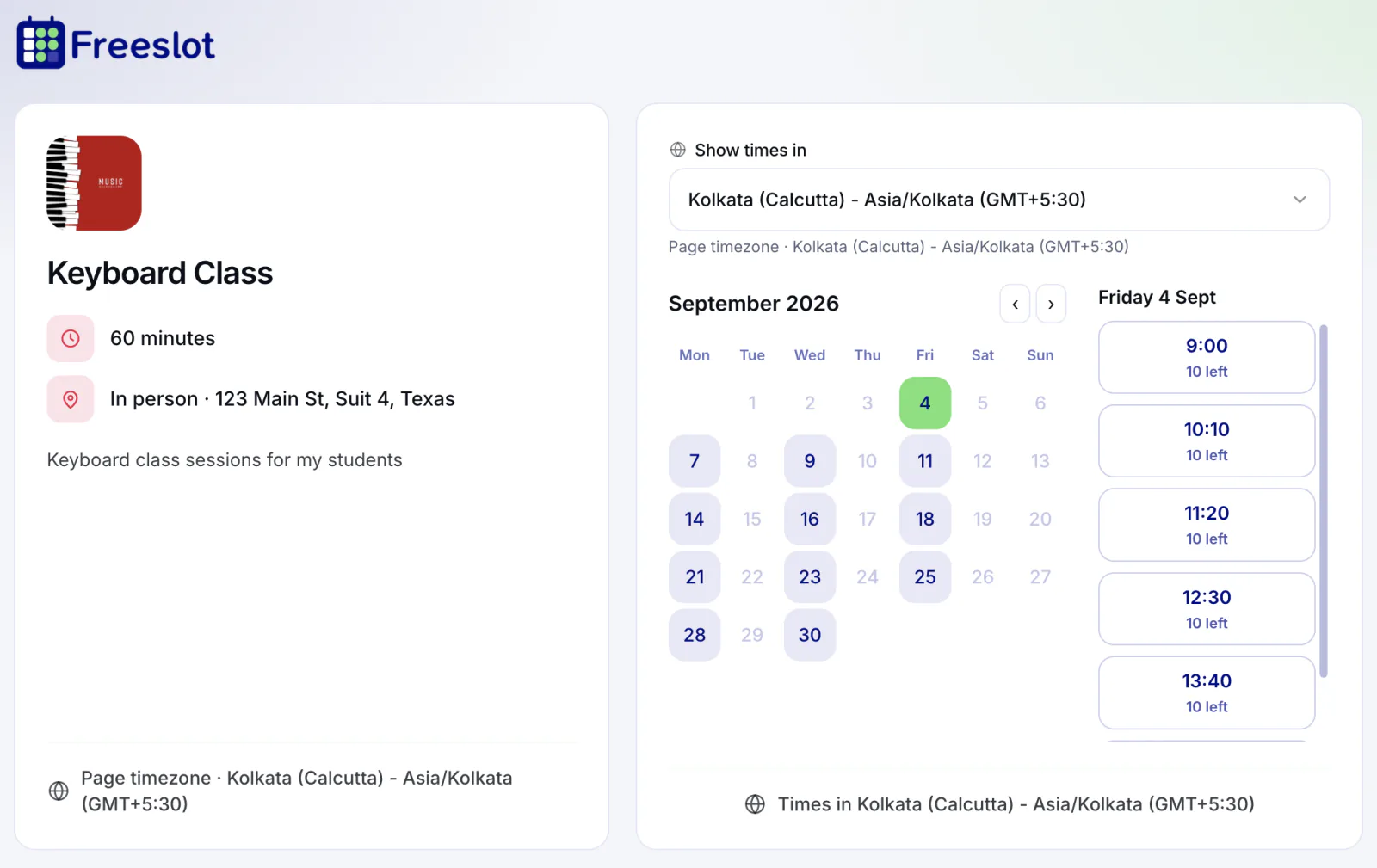
Set the weekly schedule once. Freeslot generates every session in your date range, each with its own seats and roster.
Weekly days and times between a start and end date
Professional
Every session has its own seat limit and attendee list
Guests book each date they want to attend - one week or every
week
Cancel a single session or a whole day; booked guests are
emailed automatically
The series closes to new bookings after its end date
Capacity & attendees
See seats booked and seats left across the whole series, then open any session for its guest list.
Attendee list per session with names, emails, phone, and notes
Seats booked, seats left, and open seats across the series
Raise capacity anytime - it can't drop below seats already
booked
Video call or in-person location shown on the booking page
Use cases
Anywhere several people share one time slot, a seat limit beats a sign-up sheet.
Workshop booking software that opens registration for a one-off workshop with a hard seat limit and a seats-left count that nudges people to book.
Run weekly classes as a group series. Members book the sessions they'll attend, and full classes close themselves.
Take sign-ups for a live online session, with your video call link shown on the booking page.
Small-group lessons with a few seats each - music, languages, or exam prep - booked week by week.
Recurring drop-in hours where several students, customers, or teammates can book the same slot.
Schedule recurring training for customers or new hires, with an attendee list for every session.
FAQ
Group appointment scheduling lets multiple people book the same session from one booking page, up to a seat limit you set. Each guest books their own seat and gets their own confirmation, and the session stops taking bookings once it's full.
You set a seat limit for each session. Guests see how many seats are left, and once every seat is taken the session is no longer offered. If someone cancels, their seat opens up again. You can raise the limit at any time, but not below the number of seats already booked.
No. Each email address can hold one seat per session, so a guest can't accidentally take two spots in the same session.
Create a group series with the days and times it runs and a start and end date. Every session in the series has its own seat limit and attendee list. Guests book each date they want to attend, and the series stops taking bookings after its end date.
Yes. You can cancel a single session or a whole day. Everyone booked into it is cancelled and notified by email, and the rest of the series carries on as planned.
Yes. Freeslot handles registration for free workshops, classes, and webinars: seat limits, each attendee's name and email (plus phone and notes if you turn them on), confirmations, and an attendee list per session. Payment for paid workshops is handled outside Freeslot today.
Group sessions and group series are included in the Professional and Teams plans, and you can try them with a 14-day free trial. Compare plans.
More questions? Visit the Help Center or talk to us about your classes or events. Not sure a group session fits? Read how to schedule group meetings without email chains.


